From right-click to AI-ready brief in three steps
See an image on the web? Right-click it and select "Open in Art Director." It loads instantly into the canvas editor.
→Use annotation tools, reference assets, cinematic presets, and the Director's Brief to describe exactly what you want.
→Copy the AI-optimized brief to your clipboard and paste it into any image or video generation model.
Art Director integrates directly into your browser. Load images from any webpage, your clipboard, or local files.
Right-click any image on a webpage and choose "Open in Art Director" to load it directly.
Drop images directly onto the canvas. Bulk drop up to 10 images as overlays at once.
Toggle between single-frame Image mode and dual-frame Video mode with start/end keyframes.
Paste images from your clipboard with Ctrl+V to add them as overlays instantly.
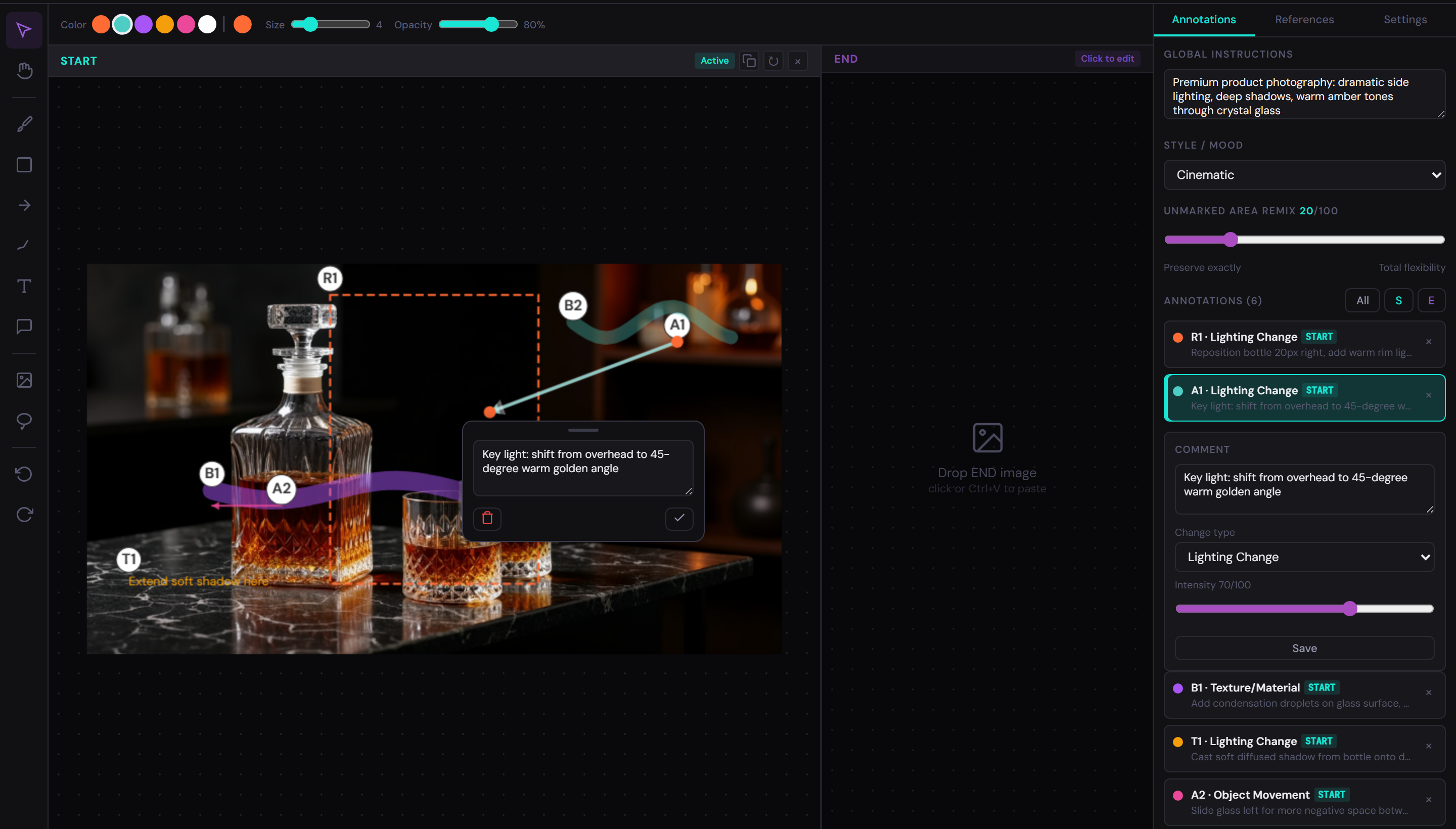
Ten specialized tools let you mark exactly where and how changes should happen. Every annotation is numbered and carries structured metadata.
Click annotations and overlays to move, resize, or edit properties.
Drag to pan the canvas. Also: hold Space and drag.
Paint stroked highlights over areas. Adjustable size and opacity.
Draw filled rectangles to mark regions of interest.
Directional arrows to indicate movement or flow.
Open-ended freehand lines for organic shapes.
Click to place text annotations on the canvas.
Add an overlay image from a file as a positioned layer.
Freehand selection that copies composited content to clipboard.
Add standalone comment markers anywhere on the canvas.
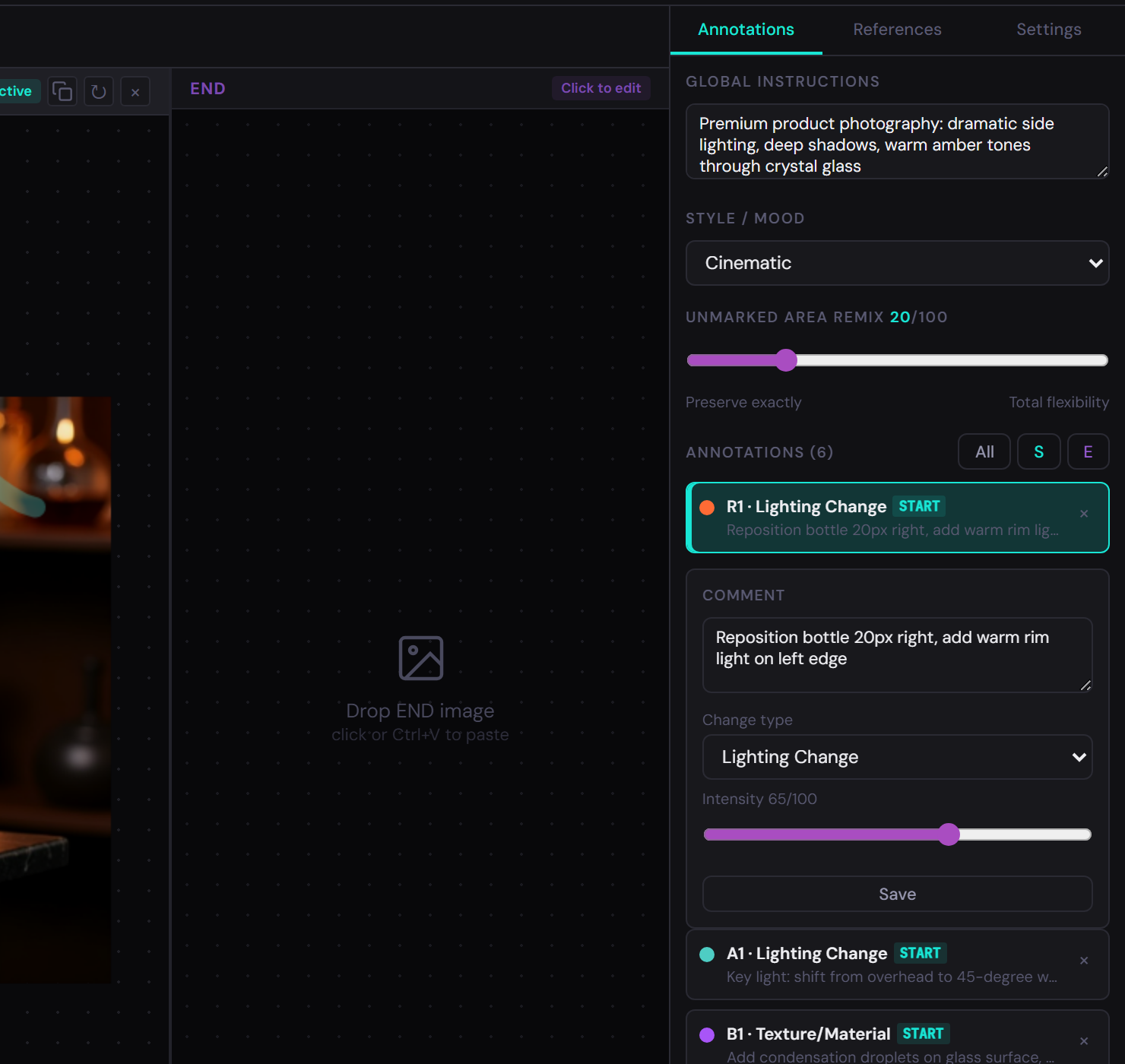
Each annotation carries structured metadata that AI models use to interpret your intent:
B1, R1, A1, T1, etc. — unique identifiers for precision reference.
Free-text description of the intended change. Reference assets with $varName.
Categorize the edit from 12 types (see below).
Strength of the change on a 0–100 scale.
Video mode: when the change occurs (Start, Mid-point, End, Throughout).
Video mode: transition curve (Linear, Ease in, Ease out, Ease in-out).
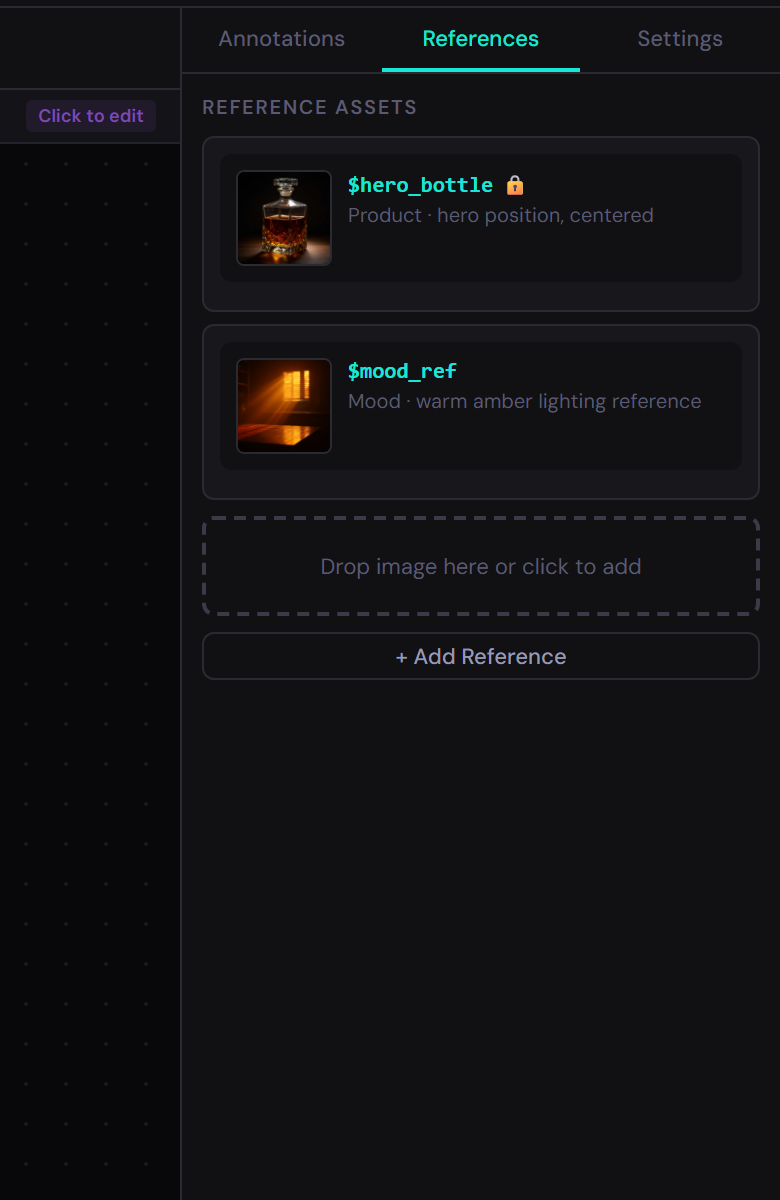
Add reference images with variable names so the AI knows exactly what your annotations are referring to.
Assign names like $hero, $bottle and reference them in annotation comments.
Describe the current state of each asset (e.g., "jacket off, coffee in left hand") for continuity.
Lock a reference's state to export it as a hard constraint the AI must maintain throughout.
Organize references by type: character, prop, environment, or style.
In Video mode, the Director's Brief panel gives AI models the temporal, emotional, and cinematic context they need to produce director-quality output.
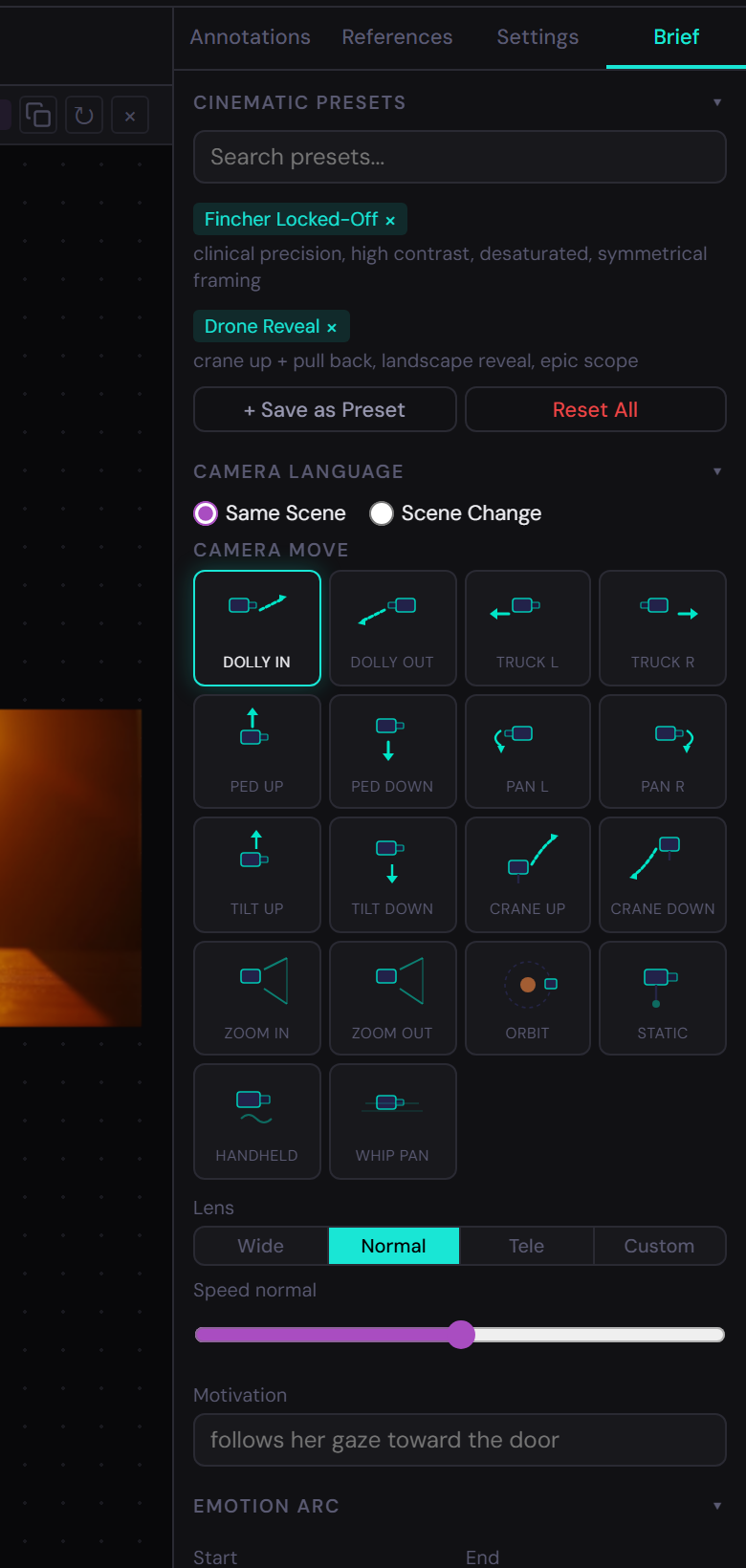
Configure camera movement with an animated visual selector. Choose from 18 camera moves, set lens focal length, speed, and motivation.
Dolly in/out, truck left/right, pedestal up/down, pan left/right, tilt up/down, crane up/down, zoom in/out, orbit, static, handheld, whip pan.
Wide (20mm), Normal (50mm), Telephoto (100mm), or custom focal length.
Scale of 1 (crawl) to 5 (whip) controls the pace of the camera movement.
Free text describing the intent: "follows her gaze toward the door."
Scene type toggle lets you choose Same Scene (single camera move) or Scene Change (separate start/end cameras).
Define the emotional trajectory of your shot with start and end emotions. The system auto-generates visual transition descriptions.
15 emotions:
Each emotion maps to visual parameters — framing, lighting, palette, and movement — that are automatically included in the export as hints for the AI model.
Enable the Override toggle to replace auto-generated text with your own description.
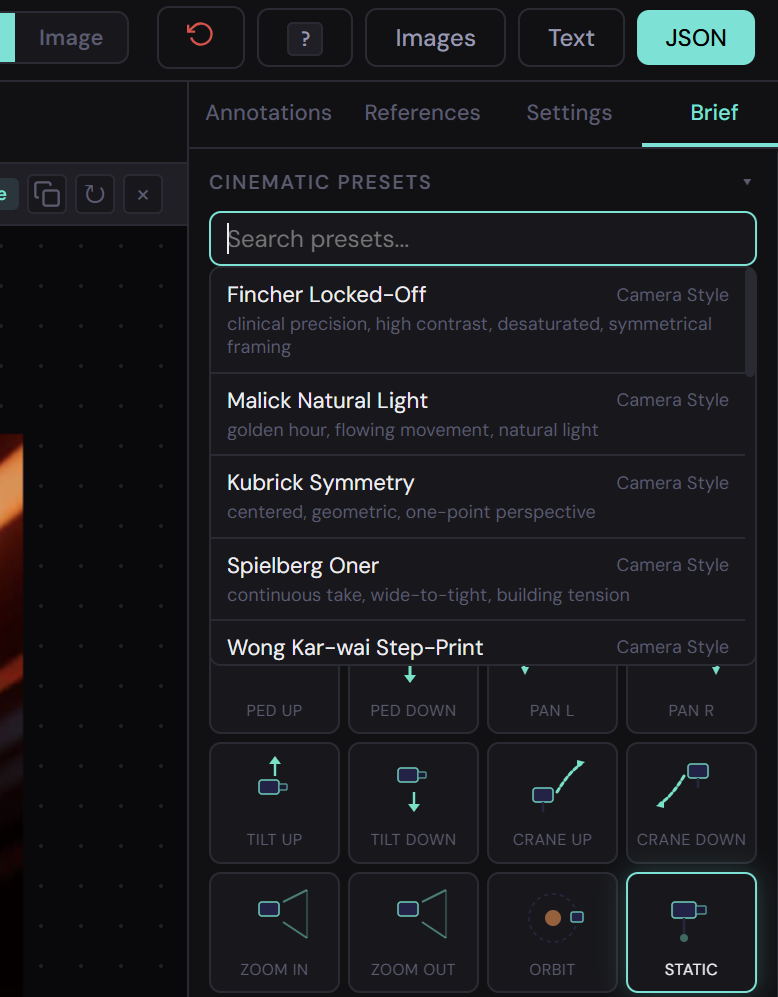
17 built-in presets let you apply a full cinematic language with one click. Each preset auto-populates camera, lens, speed, and emotion settings.
Save your current configuration as a custom preset for reuse across sessions. Use Reset All to return to defaults.
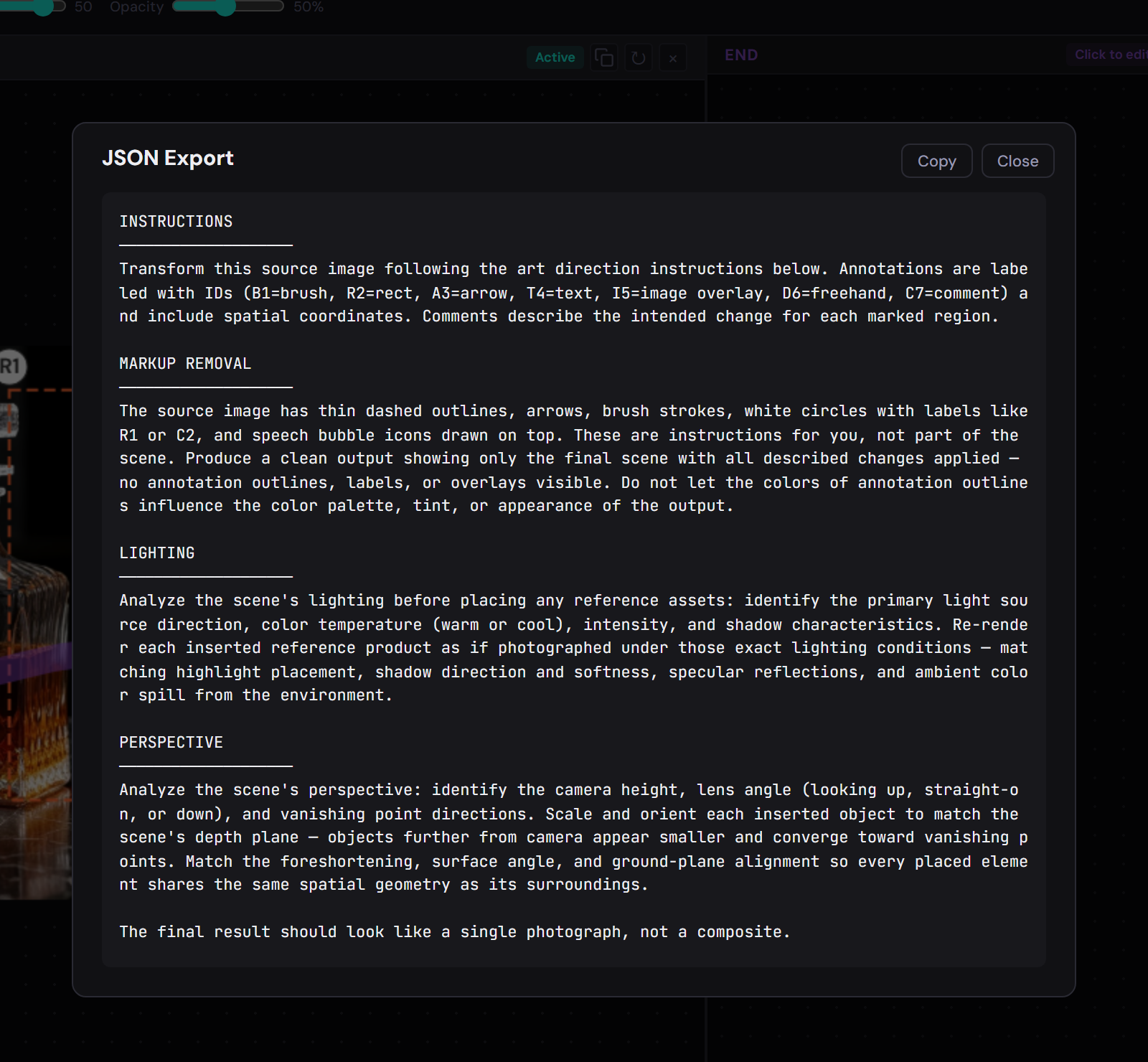
Three export formats, each with an AI-optimized preamble that tells the model to treat your annotations as editing instructions, not desired output.
Fully structured data with annotation coordinates, metadata, reference assets, and Director's Brief.
Human-readable brief with the same AI preamble. Easy to paste and review before sending to a model.
Download marked-up START and END frames as PNG files with all annotations baked in.
Optimize your export for a specific AI model. The preamble and formatting adjust to each model's strengths.
Video mode: 1–60 seconds.
Slow cinematic, Medium, Fast-paced, or Rhythmic/musical.
9:16, 16:9, 1:1, or 4:5.
Free text field for overall aesthetic direction.
Things the AI must keep: brand colors, subject identity, etc.
Things the AI must avoid: text overlays, sudden cuts, etc.
Use filmmaker shorthand to configure your brief. Each preset translates a director's visual vocabulary into structured parameters.
| Category | Preset | Camera | Visual Style |
|---|---|---|---|
| Camera Style | Fincher Locked-Off | Static, 40mm | High contrast, desaturated, symmetrical |
| Malick Natural Light | Handheld, wide lens | Golden hour, flowing, organic | |
| Kubrick Symmetry | Static, wide lens | Centered, geometric, precise | |
| Spielberg Oner | Tracking, wide-to-tight | Continuous, building energy | |
| Wong Kar-wai Step-Print | Handheld, telephoto | Staccato, dreamy, saturated | |
| Wes Anderson Tableau | Static, wide | Centered, flat, pastel palette | |
| Mood / Atmosphere | Film Noir | Dutch angles | Low-key, high contrast, shadows |
| Sundrenched Nostalgia | Slow, steady | Overexposed, warm, hazy | |
| Cyberpunk Neon | Dynamic | High saturation, cool+warm clash | |
| Horror Tension | Slow creep, tight | Underlit, unstable framing | |
| Documentary Verité | Handheld, reactive | Natural, observational | |
| Dreamlike | Slow, ethereal | Soft focus, overexposed edges | |
| Transitions | Hitchcock Zoom | Zoom in + dolly out | Vertigo effect, disorienting |
| Steadicam Follow | Smooth tracking | Medium distance, following subject | |
| Drone Reveal | Crane up + pull back | Landscape reveal, epic scale | |
| Snap Zoom | Fast telephoto punch-in | Sudden, energetic | |
| Slow Dolly Reveal | Gradual push-in | Revealing new information |
Create and save custom presets from any configuration to build your personal cinematic library.
Every tool is one key away. No menus, no hunting.
| Key | Action |
|---|---|
| V | Select tool |
| H | Pan tool |
| B | Brush tool |
| R | Rectangle tool |
| A | Arrow tool |
| D | Freehand tool |
| T | Text tool |
| I | Add Image tool |
| L | Lasso tool |
| C | Comment tool |
| ? | Show shortcuts reference |
| Ctrl+Z | Undo |
| Ctrl+Shift+Z | Redo |
| Space+Drag | Pan canvas |
| Ctrl+V | Paste image from clipboard |
| Delete | Remove selected annotation |
| Scroll | Zoom in/out |
| 1 / 2 | Switch to START / END frame |
Stop writing vague prompts. Start directing your AI with precision.
Add to Chrome — It's Free